
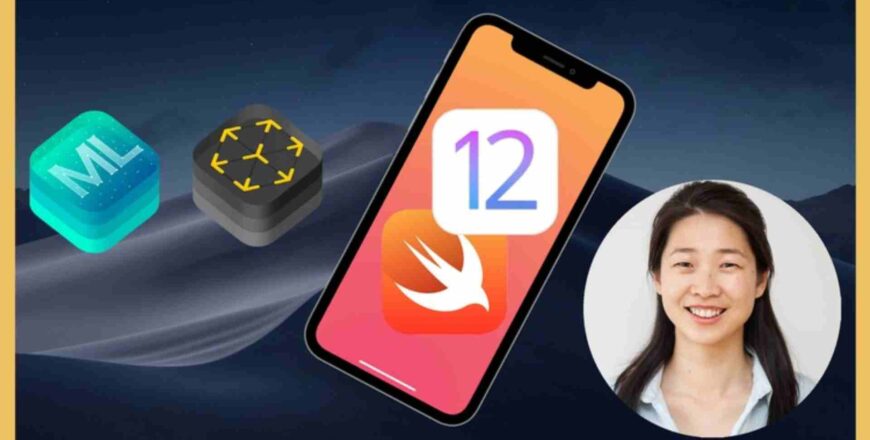
iOS 12 & Swift - The Complete iOS App Development Bootcamp
From Beginner to iOS 12 App Developer with Just One Course! Xcode 10 & Swift 4.2. Includes ARKit2, CoreML2 and CreateML.

- Përshkrimi
- Kurrikula
- Pyetjet e shpeshta
- Vlerësimi
iOS Interface Builder - The $999 App
-
1
 What You'll Get in This Course
 -
2
How to Get All the Free Stuff
-
3
 Download Your Massive Bundle of Assets
 -
4
How to Make the Most of the Bootcamp
-
5
Download the Course Syllabus
-
6
How Do Apps Actually Work?
-
7
How Apps are Made
-
8
Download the 12 Rules to Learn to Code eBook PDF
-
9
Tools and Materials for iOS App Development
-
10
Download Xcode
-
11
While You're Waiting for Xcode to Download
-
12
A Walkthrough of the Xcode Development Environment
-
13
How to Get Help When You're Stuck
-
14
Pathfinder
Sideloading in iOS
-
15
The I Am Rich App
-
16
How to Properly Create a New Xcode Project
-
17
What is a Bundle Identifier?
-
18
Let's Design the User Interface Using Storyboards
-
19
A Quick Note About the Next Lesson
-
20
How to Position User Interface (UI) Elements
-
21
Download the Pre-Prepared Image Assets Here
-
22
How to Incorporate Image Assets into Your Xcode Project
-
23
What's the Difference Between Points and Pixels & How to Design iOS Image Assets
-
24
App Icon Dimensions and a Brief History of Graphics
-
25
How to Design Your Own App Icon and Image Assets
-
26
Run and Test Your App!
Coding Challenge #1 - Using Interface Builder in Xcode
-
27
What is Sideloading and How Can You Get Your App onto Your iPhone?
-
28
A Note About Sideloading and Permissions
-
29
How to Sideload Your App using Xcode
-
30
Sideloading Wirelessly Through the Air
-
31
[Optional] How to Get a Professional Apple Developer Account
-
32
Get Monthly Tips and Tools to Level Up as a Developer
-
33
Join the Student Community
Build a iOS Dice App to Learn Swift Programming Basics
-
34
The Giant List of Resources
-
35
What are Coding Challenges?
-
36
What You Will Create by the End of this Challenge
-
37
What is GitHub and How to Download the Stub Projects
-
38
Step 0 - Download the Project Stub
-
39
Step 1 - Add a UILabel
-
40
Step 2 - Add and Arrange the ImageView
-
41
Step 3 - Design your App to your Heart's Content
-
42
Show Off Your Work!
Coding Challenge #2 - Swift Data Types, Variables and Arrays
-
43
What You'll Make by the End of This Module
-
44
How to Design Your App
-
45
Linking Design with Code
-
46
"Not Key Value Coding Compliant" - What to Do if You Get this Error
-
47
A Quick NoteFor Students Working with Older Versions of Xcode
-
48
How to Create Randomisation in Swift
-
49
Data Types, Constants and Variables
-
50
How to Solve the Error: "The Maximum Number of Provisioning Profiles Reached"
-
51
Learn About Arrays in Swift and Programmatically Update the Display
-
52
[How to Become a Better Programmer] The DRY Principle
-
53
How to Add Motion Detection in to Your App
-
54
Download the Completed App Project
Programming in Swift 4 for Beginners [Using Swift Playgrounds]
-
55
What You'll Build in this Coding Challenge
-
56
Step 1 - Create a New Xcode Project
-
57
Step 2 - Download the Image Asset's We've Already Prepared for You
-
58
Step 3 - Add App Icons to Your Project
-
59
Step 4 - Add the 8 Ball Images
-
60
Step 5 - Setup the Canvas
-
61
Step 6 - Design the App in Interface Builder
-
62
Step 7 - Link the Design with Code
-
63
Step 8 - Make the Ball Image Change with Your Code
-
64
Step 9 - Make a Method
-
65
Step 10 - Add Shake Gesture Detection
-
66
If You Get Stuck...
Apple iOS APIs - Make a Music App
-
67
Introduction to the Programming Modules
-
68
Comments, Print Statements and Debug Console
-
69
Optional Review: Data Types, Constants and Variables
-
70
Swift Functions: Part 1 - The Simple Function
-
71
Swift Functions: Part 2 - Functions with Inputs
-
72
Swift Functions Part 3 - Functions with Outputs
-
73
A Quick Note About the Next Lesson
-
74
Control Flow with Conditional Statements in Swift (IF/ELSE)
-
75
Download the Completed Swift Playgrounds
-
76
[Challenge] Make a BMI Calculator in Swift Playgrounds
-
77
Optional: BMI Calculator Challenge Solution
-
78
Introduction to Loops in Swift - The For In loop
-
79
Using Loops in Your Program
-
80
Optional: A Brain Teaser with Loops and the Fibonacci Sequence
How long do I have access to the course materials?
You can view and review the lecture materials indefinitely, like an on-demand channel.
Can I take my courses with me wherever I go?
Definitely! If you have an internet connection, courses on Udemy are available on any device at any time. If you don't have an internet connection, some instructors also let their students download course lectures. That's up to the instructor though, so make sure you get on their good side!
Yjet 5
3999
Yjet 4
1053
Yjet 3
205
Yjet 2
27
Yjet 1
11
Course details
Leksione
119
Kuize
1
Video
55 hours
Certificate of Completion
Popular courses